7 Signs Your Website Is Costing You Customers (and How to Fix Each One)
An outdated website quietly sends customers to your competitors. Here are seven signs you need a new website, and what to do about each one.
 Paul Kuhn, CofounderOct 23, 20265 min read
Most customers check you out online before they call. If your website gives them a reason to hesitate, they don't email you to complain. They just pick the next business on the list.
Here are seven signs your site might be sending people away. Grab your phone. You can check every one of them in about five minutes.
1. It's hard to use on a phone (or slow to load)
Pull up your site on your phone right now. Do you have to pinch and zoom to read it? Are the buttons too small to tap? Does the menu work? Does it take more than a few seconds to show up?
A lot of your visitors are on their phones, often standing in a parking lot or sitting on the couch. If your site is a struggle on a small screen, they'll give up fast. Google pays attention to this too, since it looks at the mobile version of your site when deciding where you rank.
Fix it: Your site should be built to adjust automatically to any screen, so it works just as well on a phone or tablet as it does on a computer. Compress large photos so pages load quickly.
2. Customers can't tell what you do in five seconds
Look at the top of your homepage as if you'd never heard of your business. Can you tell what you offer, who it's for, and where you work, all without scrolling?
If the first thing people see is "Welcome to our website" or a vague slogan, you're making them work to figure out if they're in the right place.
Fix it: Write one clear headline that says what you do and who it's for, with your service area right there. For example: "Family dentistry in Overland Park" beats "Smiles that last a lifetime."
3. Your phone number is hard to find (or doesn't tap to call)
If someone has to hunt for how to reach you, many won't bother. On a phone, calling you should take one tap, not copying and pasting a number.
Fix it: Put your phone number and a clear button like "Get a quote" or "Book now" at the top of every page. Make the number tap-to-call on mobile.
4. The information is out of date
Old hours, last year's prices, a service you stopped offering, a team member who left. Each one makes a customer wonder what else is wrong. And if your site still says "© 2019" at the bottom, people notice.
Fix it: Updates should be easy and quick. If updating your site keeps falling to the bottom of your to-do list, that's a sign it should be someone else's job.
5. It doesn't show up when people search for you
Search for what you do plus your city, like "plumber Olathe" or "massage therapist Overland Park." Then search for your business by name. If you're hard to find either way, customers are finding someone else.
Fix it: Give each page a clear title, create a page for each service you offer, and mention your city and service area on the site. Then set up a Google Business Profile that links back to it.
6. There's no proof you're good at what you do
Reviews, photos of your work, credentials, years in business. People want proof before they hand over their money or let you into their home. If your site doesn't show any, it's asking them to take your word for it.
Also check your browser's address bar. If it says "Not secure" next to your site's address, visitors see that warning before they see anything else.
Fix it: Put your best reviews and real photos near the top of your homepage, not buried on a separate page. Make sure your site has an SSL certificate so it loads securely.
7. It just looks old
This one's harder to measure, but people feel it. Crowded pages, tiny text, mismatched fonts, and stretched photos make even a great business look tired. Fair or not, many customers judge your work by your website.
Fix it: Go for a clean, modern design with plenty of space, readable text, and your own photos.
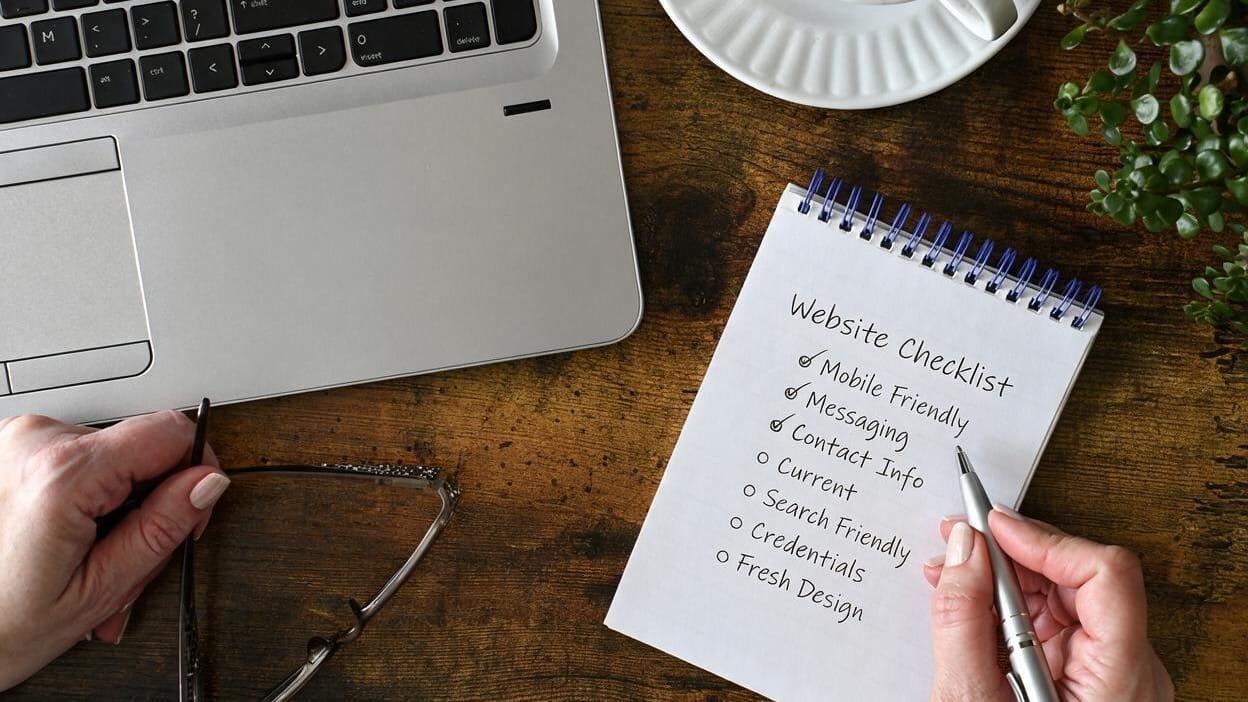
Quick checklist: does your website need a refresh?
Tally up how many of these apply to your site:
- Hard to use on a phone, or slow to load
- Unclear what you do within five seconds
- Phone number hard to find or not tap-to-call
- Outdated hours, prices, services, or team info
- Hard to find on Google
- No reviews, photos, or credentials up front
- Looks dated
One or two? A few targeted fixes might do it. Three or more? A fresh site is probably worth it, and it doesn't have to be a big, expensive project.
Should you fix your website or start over?
If your site is fairly new and the problems are mostly content, like old hours or missing reviews, fixing what you have makes sense. But if it's hard to use on phones, hard to update, and looks dated, patching it usually costs more time than starting fresh.
That's why we design a free homepage mockup before you pay anything. You see exactly what your new site would look like, then decide if it's worth it. No credit card, no contract, no pressure.
Website refresh FAQs
How do I know if I need a new website?
If your site is hard to use on a phone, hard to find on Google, hard to update, or just looks dated, it's probably costing you customers. If three or more of the signs above apply, it's worth considering a new site.
How often should a small business redesign its website?
Many businesses refresh their site every few years, but there's no set timeline. What matters more is whether your site still works well on phones, shows current information, and represents your business the way you want.
How much does a new small business website cost?
It varies widely. Web-plicity keeps it simple: $199 a month, or $149 a month billed yearly, with design, hosting, security, and unlimited content updates included. There's no setup fee, and you can see our full pricing.
Can I keep my domain if I get a new website?
Yes. Your domain stays yours, and we'll connect it to your new site during launch.